
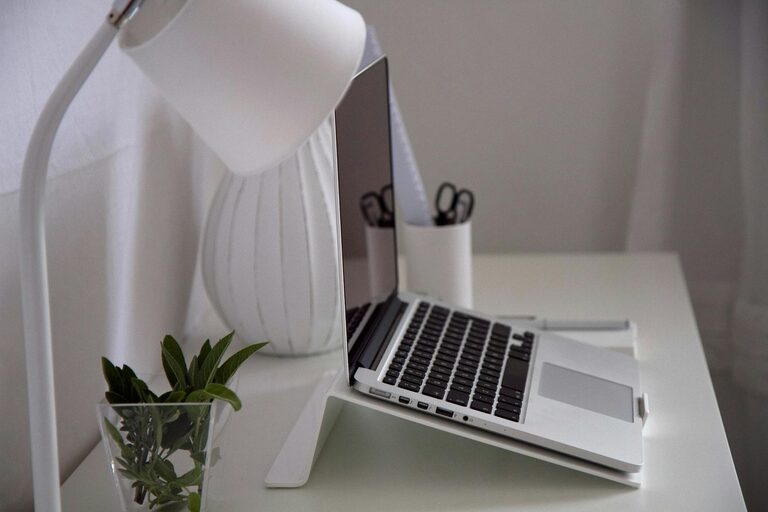
Creating a well-organized home office can significantly improve your focus and productivity. Whether you work remotely full-time or occasionally need a dedicated space, having a tidy and functional setup makes tasks easier and reduces distractions. In this post, we’ll explore helpful tips to organize your home office and create an environment where you can work efficiently and comfortably.
Why Organizing Your Home Office Matters
A cluttered space often leads to a cluttered mind. When your desk is filled with papers, gadgets, and random items, it’s harder to concentrate. Conversely, an organized office can help you:
– Find things quickly when needed
– Maintain a clear focus during work hours
– Create a professional atmosphere for virtual meetings
– Reduce stress and distractions
– Foster better time management
With these benefits in mind, let’s dive into practical ways to get, and keep, your home office in order.
Start with Decluttering
The first step in organizing your space is to clear out unnecessary items that take up space and attention.
Steps to Declutter Effectively
- **Remove everything** from your desk and surrounding areas.
- **Sort items into categories**: keep, toss, donate, or relocate.
- **Throw away or recycle** any broken, expired, or unused items.
- **Limit personal items** to a few meaningful pieces to keep the space welcoming but focused.
When you start fresh with only essentials, it’s easier to organize and maintain your workspace.
Choose Functional Furniture and Storage Solutions
Your furniture and storage options set the stage for an organized office.
Desk and Chair
– Select a desk with enough surface area for your computer, documents, and essential tools without overcrowding.
– Invest in an ergonomic chair that supports good posture to keep you comfortable during long hours.
Storage Needs
– Use drawers, shelves, or filing cabinets to store items out of sight but within reach.
– Consider stackable trays or desktop organizers to keep papers and supplies neatly arranged.
– Label storage containers to find items quickly.
Optimize Desk Arrangement
An efficient desk layout can save time and reduce frustration.
– Keep frequently used items like pens, notebooks, or your mouse close at hand.
– Position your monitor at eye level to avoid neck strain.
– Leave enough clear space to write or roll a mouse freely.
– Avoid piling up stacks of paper; sort them right away or designate a spot for incoming documents.
Utilize Digital Organization Tools
Paperwork can accumulate quickly, but many tasks can be managed digitally.
– Scan documents to reduce physical copies and save space.
– Use note-taking or task management apps to track to-do lists and deadlines.
– Keep your computer desktop clean by organizing files in folders with clear labels.
Manage Cables and Electronics
Cords and chargers can create visual clutter and get tangled.
– Use cable clips, ties, or sleeves to group and secure wires neatly.
– Place charging stations near your desk or a power strip to centralize connections.
– Regularly unplug devices that aren’t in use to save energy and reduce clutter.
Personalize Without Overdoing It
Adding personality can make your office inviting but avoid distractions.
– Decorate with a few items like a small plant, framed photo, or art pieces.
– Keep decorations minimal to maintain focus.
– Choose calming colors or natural elements that enhance your well-being.
Maintain Your Organized Space Daily
Organization is an ongoing process, not a one-time task.
– Spend a few minutes at the end of each day tidying your desk.
– File documents promptly to avoid pileups.
– Review and update your task lists regularly.
– Adjust your setup if you notice anything becomes inefficient.
Create Zones for Different Tasks
If space allows, designate areas for specific activities.
– Separate areas for computer work, paperwork, and brainstorming can reduce distractions.
– Use a bulletin board or whiteboard to keep track of ideas and reminders.
Invest in Good Lighting
Proper lighting reduces eye strain and keeps you alert.
– Use a combination of natural light and adjustable lamps.
– Position your desk near a window if possible, but avoid glare on your screen.
– Use warm light bulbs for a cozy atmosphere or daylight bulbs for focus.
Concluding Thoughts
Organizing your home office is about creating a workspace that supports your work habits and lifestyle. By decluttering, choosing the right furniture, managing cables, and maintaining your space daily, you can enjoy a tidy and inspiring office that helps you stay productive. Start with these tips today, and gradually fine-tune your environment to match your needs perfectly. A little effort will go a long way in improving your work-from-home experience.